Quick Guide to Mixpanel Group Analytics

What is Group Analytics?
Mixpanel Group Analytics is a paid add-on that allows you to analyze behavioral data by groups (e.g., companies, teams) rather than just individual users. This feature is available to customers on Growth and Enterprise plans.
Key Concepts
Group Key: An event property that connects event data to a group. For example:
‘company_id’
‘team_id’
→ these Keys must be setup in Project Settings before the data is sent.
Group keys must be event properties.
All events need to have a defined group key on them in order to be attributed to a group.
mixpanel.track("Document Uploaded", {company_id:"01234", team_id:"marketing"})So in this example the end user with a specific ‘distinct_id’ tracked the event “Document Uploaded”. This user is belonging to company 01234 and marketing team
This would allow us to:
Measure activity at the company level.
Analyze which teams are most active within each company.
Events may be attributed to multiple groups within one same key
For example a user with a specific ‘distinct_id’ might be signing up to your product but he works for multiple companies:
mixpanel.track("Sign Up", {company_id: ["01234", "56789", "55555"] , team_id:"sales"});How do Metrics differ when grouping by different groups
Lets say we have 3 Purchase Events each done by the following users, with the following properties regarding grouping and revenue.
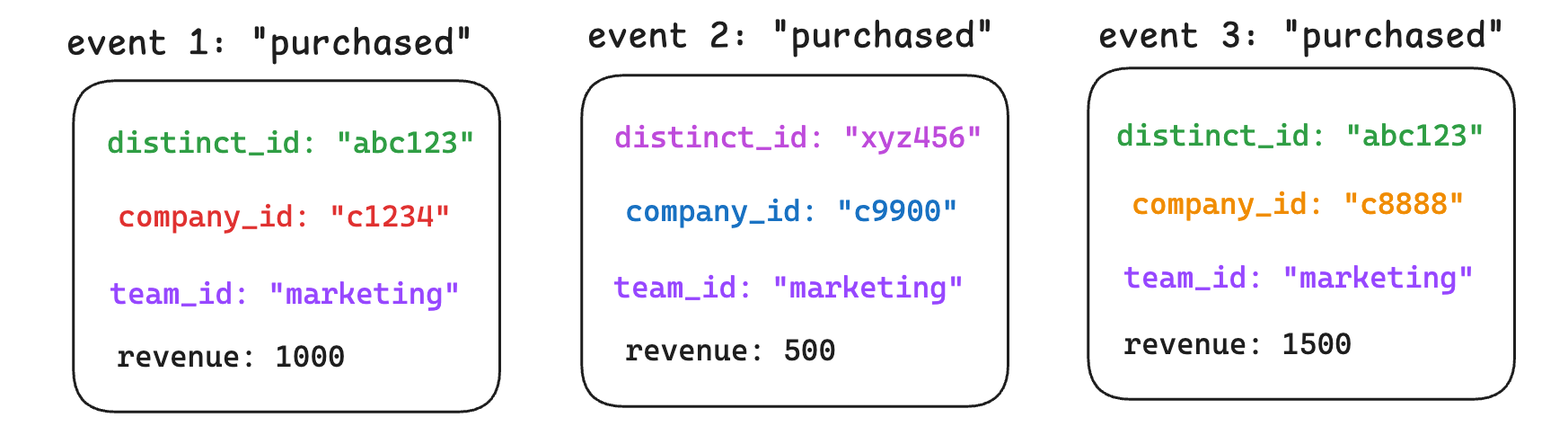
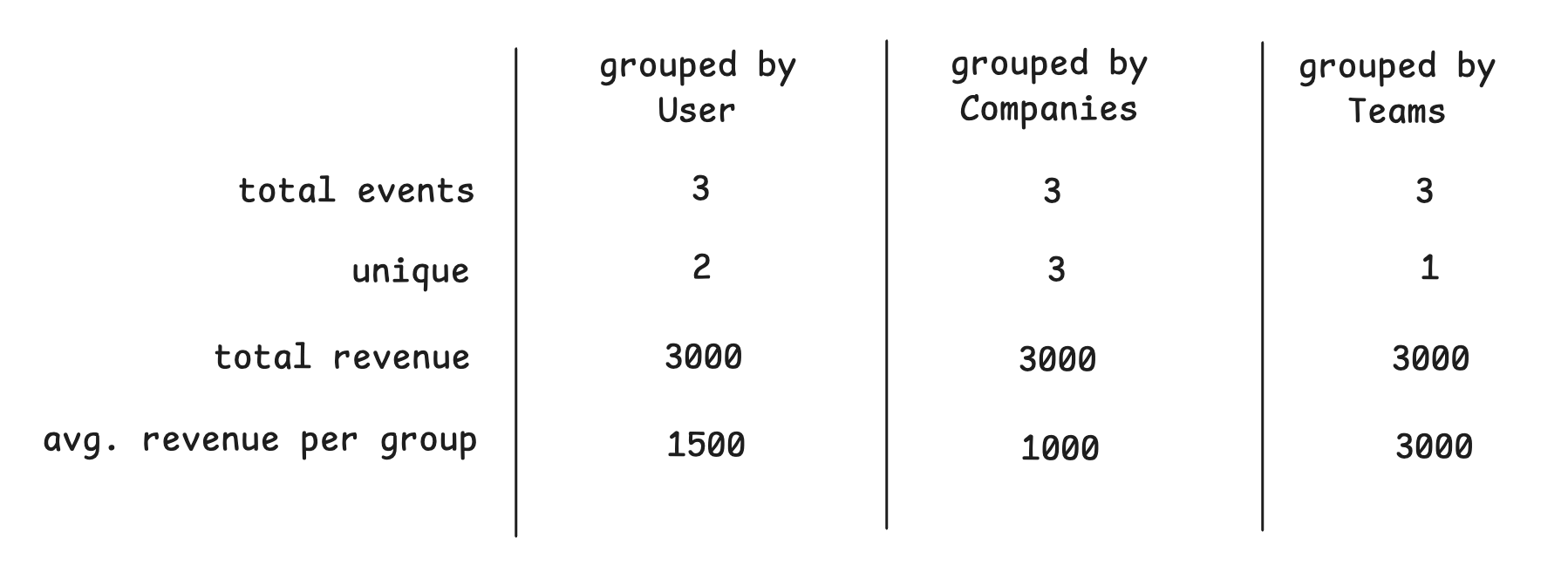
note that in this example, a same user “abc123” did Purchase Events for 2 different companies. While all events were done by users in Marketing team and in different commpanies.
So in Mixpanel it will be possible to analyze metrics by different groupings, in this case either by Users, Companies or Teams
Group Profile Properties
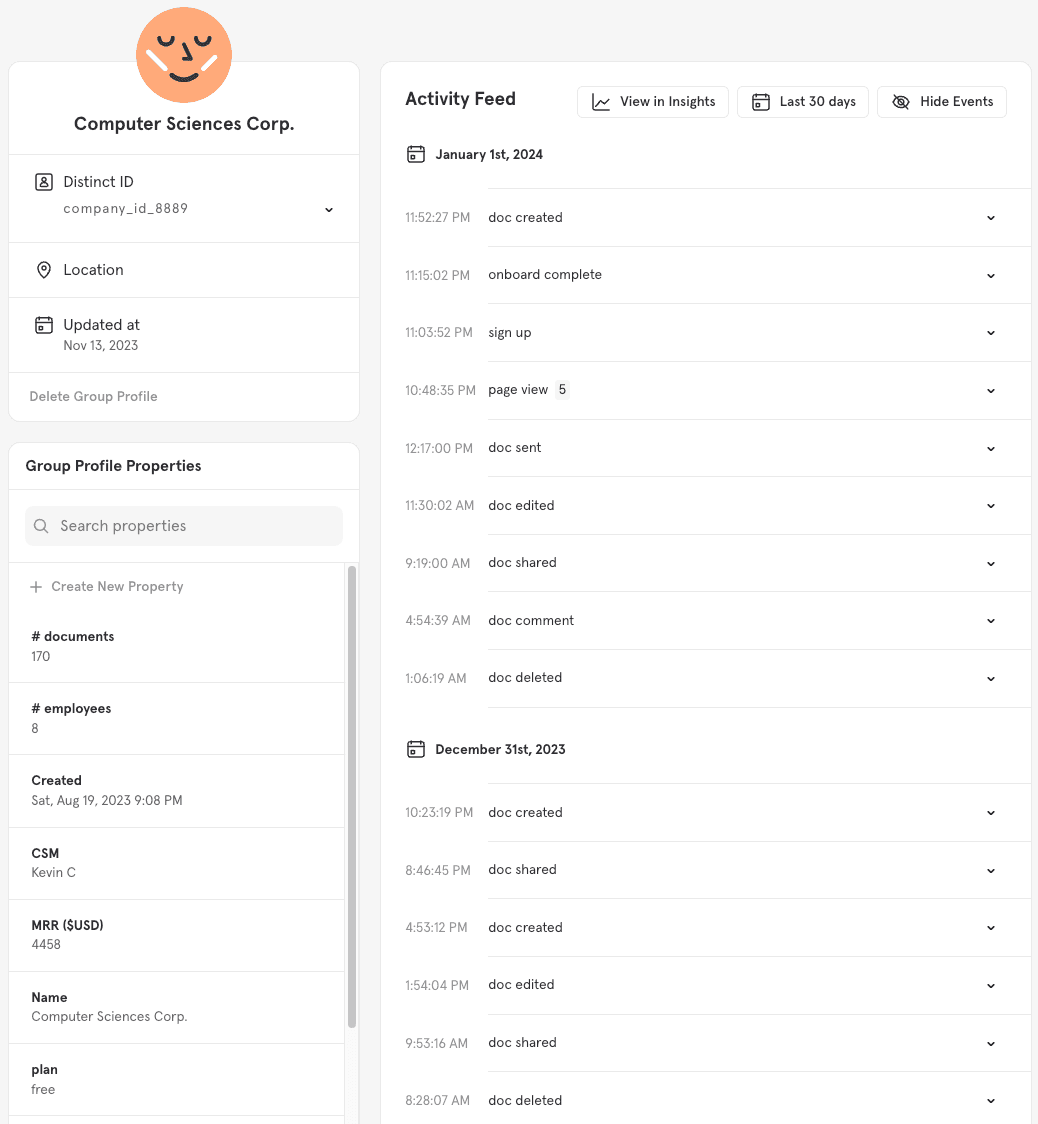
Much like a user profile, Group Profiles are a collection of properties and event history specific to a group.
Group Profiles have an activity feed that shows the events performed by users in a group. Only the events attributed to the group with a defined group key will appear in the group’s activity feed.
mixpanel.set_group('company_id', 'mixpanel');